Google Sheets · PDF · 6 pages
ArrayFormula + Query: The Duo That Replaces 90% of Macros
Powerful Google Sheets automation without writing scripts or macros.
 Download original guide
Inside the guide
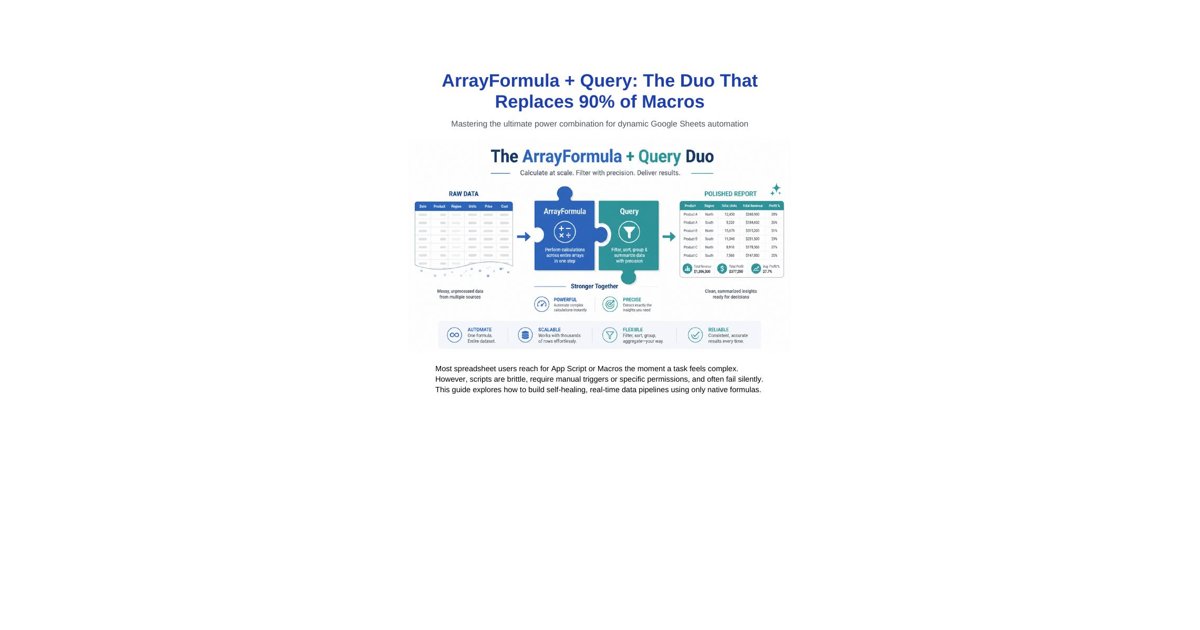
ArrayFormula + Query: The Duo That Replaces 90% of Macros Mastering the ultimate power combination for dynamic Google Sheets automation
Most spreadsheet users reach for App Script or Macros the moment a task feels complex. However, scripts are brittle, require manual triggers or specific permissions, and often fail silently. This guide explores how to build self-healing, real-time data pipelines using only native formulas.
1. Why Formulas Beat Macros for Automation
Macros (VBA or Apps Script) create technical debt. They are often hard to maintain, slow on large datasets, and can be blocked by security settings. Formulas, on the other hand, are dynamic, recalculated instantly, and live directly in the data flow.
Feature Macros / Scripts ArrayFormula + Query Duo
Refresh Speed Manual or Trigger-based Instant / Real-time
Complexity High (Code required) Moderate (Syntax required)
Reliability Fragile (Breaks with layout changes) Resilient (Self-healing)
Security Often blocked / Requires permission Safe / Native
Scalability Slows down at scale Engineered for big data
2. ArrayFormula: The Row Multiplier
ArrayFormula is the engine that allows you to apply a single formula to an entire column. Instead of dragging a formula down thousands of rows (and forgetting to update it when new data arrives), ArrayFormula handles the expansion automatically.
Standard Syntax: =ARRAYFORMULA(A2:A + B2:B)
The "IF + Row Check" Pattern (Crucial):
To prevent your formula from calculating on empty rows at the bottom of the sheet, always use this pattern: =ARRAYFORMULA(IF(A2:A="", , A2:A * 1.05))
3. QUERY: SQL Power in a Single Cell
The QUERY function is arguably the most powerful function in Google Sheets. It allows you to use a language similar to SQL (Structured Query Language) to filter, sort, and aggregate your data.
Basic Architecture: =QUERY(DataRange, "SELECT ... WHERE ... GROUP BY ... ORDER BY ...", [Headers])
Clause Purpose Example
SELECT Pick specific columns SELECT A, C, sum(D)
WHERE Filter rows based on conditions WHERE B = "Paid"
GROUP BY Aggregate data (Pivot style) GROUP BY A
ORDER BY Sort the results ORDER BY sum(D) DESC
LABEL Rename headers in the output LABEL sum(D) "Total Sales"
4. The Duo: Building Dynamic Pipelines The real magic happens when you combine them. You use ArrayFormula on your "Raw Data" sheet to calculate new values (like Net Profit or Status Flags) and then use QUERY on a "Dashboard" sheet to summarize that data in real-time.
Example Case Study: Real-time Inventory Management
Imagine a sheet where every new sale or restock is logged. By using this duo, you can build a system that:
• Automatically calculates current stock per item (ArrayFormula).
• Flags "Low Stock" items instantly (ArrayFormula).
• Generates a prioritized re-order list on the dashboard (QUERY).
Step Task Logic
1 Calculate Line Totals ARRAYFORMULA(Qty * Price)
2 Check Thresholds ARRAYFORMULA(IF(Stock < 10, "RESTOCK", "OK"))
3 Filter for Restock QUERY(..., "SELECT * WHERE Col10 = "RESTOCK"")
4 Summarize by Category QUERY(..., "SELECT Col2, sum(Col5) GROUP BY Col2")
5. Advanced Duo Patterns A. Dynamic Range References
Use curly braces {} to stack data or rearrange columns inside a QUERY. This is essentially "Macro-free ETL". =QUERY({Sheet1!A2:D; Sheet2!A2:D}, "SELECT * WHERE Col1 > 0")
B. Using Cell Values in Query String
Link your dashboard filters to dropdowns (Data Validation) and update the query string dynamically. =QUERY(Data, "SELECT * WHERE A = '" & B1 & "'")
Conclusion Macros are for tasks that formulas cannot do (like sending emails or creating custom menus). But for data processing, transformation, and reporting, ArrayFormula + Query is the faster, safer, and more reliable choice. Master this duo, and you master your data.